|
||||||||||||||||||||||||||||||||||||||||||||||||||||||
|
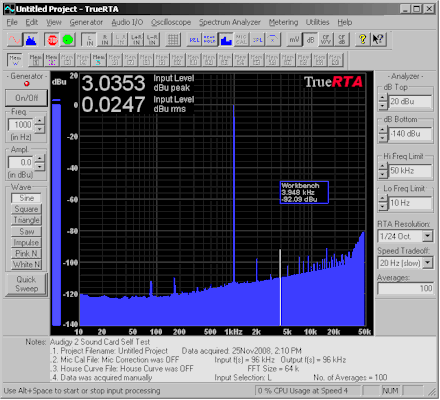
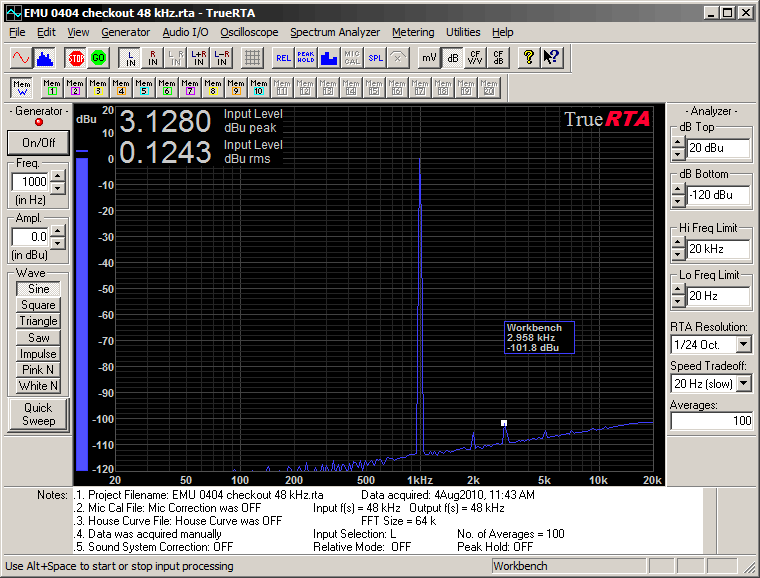
The screen shot below shows TrueRTA evaluating the performance of the E-MU 0404 USB sound system with a 1kHz sine wave where the 1 kHz distortion components are seen to be below -100 dB (i.e., less than 0.001%). |
||||||||||||||||||||||||||||||||||||||||||||||||||||||
|
||||||||||||||||||||||||||||||||||||||||||||||||||||||
|
The screen shot below shows TrueRTA evaluating the performance of the E-MU 0404 USB sound system with a 1kHz sine wave where the 1 kHz distortion components are seen to be below -100 dB (i.e., less than 0.001%). |
||||||||||||||||||||||||||||||||||||||||||||||||||||||
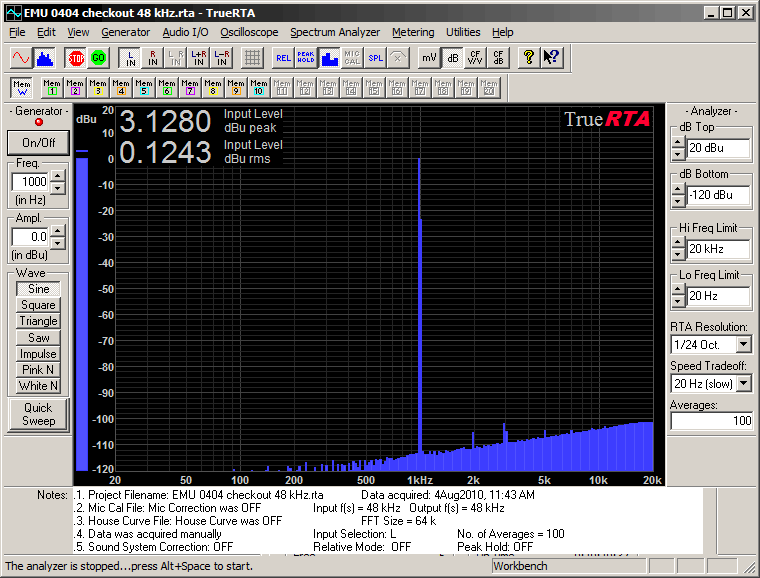 TrueRTA Self Test of an E-MU 0404 USB sound system, shown in Bar Mode (black background) |
|
Here are the components that make up TrueRTA:
|
||
|
|
High Resolution Audio Spectrum Analyzer | |
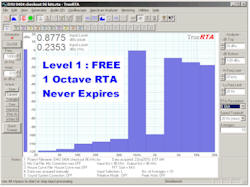
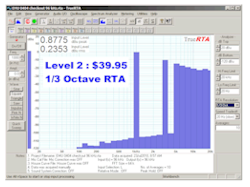
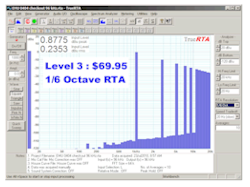
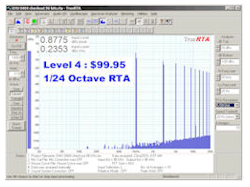
TrueRTA's audio spectrum analyzer software shows you a detailed picture of what you're hearing in real-time, that is, as it happens. The audio spectrum analyzer shows the changing spectrum of live input signals up to 48kHz (half the maximum sampling frequency). The size of the waveform sample is variable so that shorter samples can be used where a high frame rate is required, as in sampling live music. Longer samples provide increased low frequency resolution with the tradeoff of slower updates. The latter settings are appropriate for highly accurate frequency response measurements.
Some of the above applications require the use of the analyzer in combination with a test signal from the generator. Others (such as noise analysis or analyzing live or recorded music) require no test signal. |
||
| Quick Sweep | ||
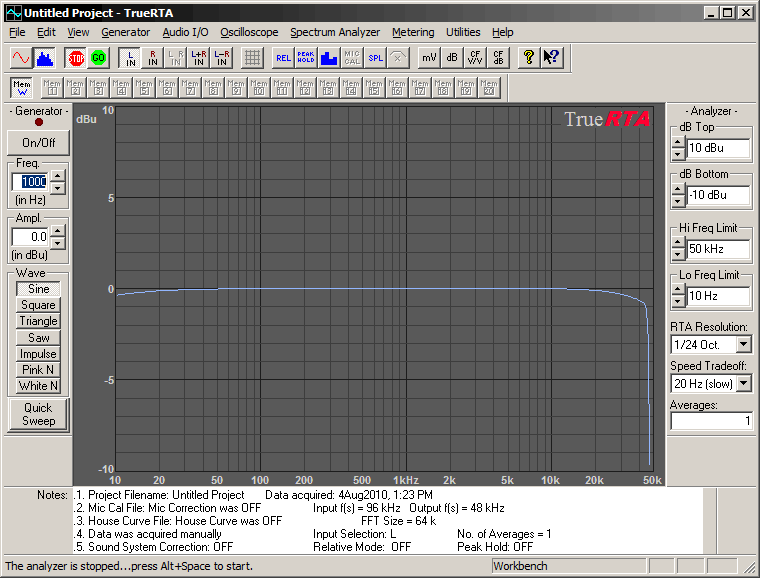
TrueRTA's Quick Sweep employs a short digitally generated sweep (chirp) to measure the frequency response of electronic and acoustical systems. Below is the measured response of an E-MU 0404 USB audio interface at 96 kHz sampling frequency.
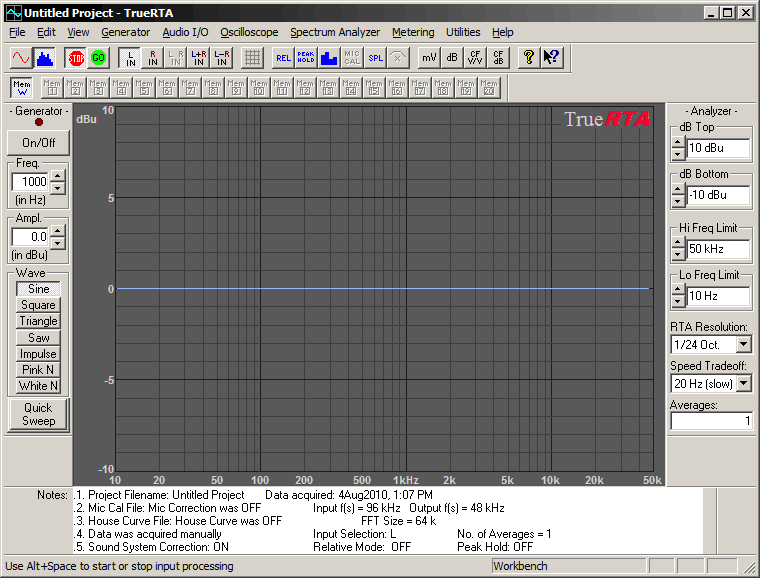
Below is TrueRTA with Sound System Calibration switched on. Note that the response of the sound card has been removed from the measurement so that a self test of the sound card now shows a flat response. The response of any system you now insert in the test loop can now be measured very precisely plus or minus .05 dB.
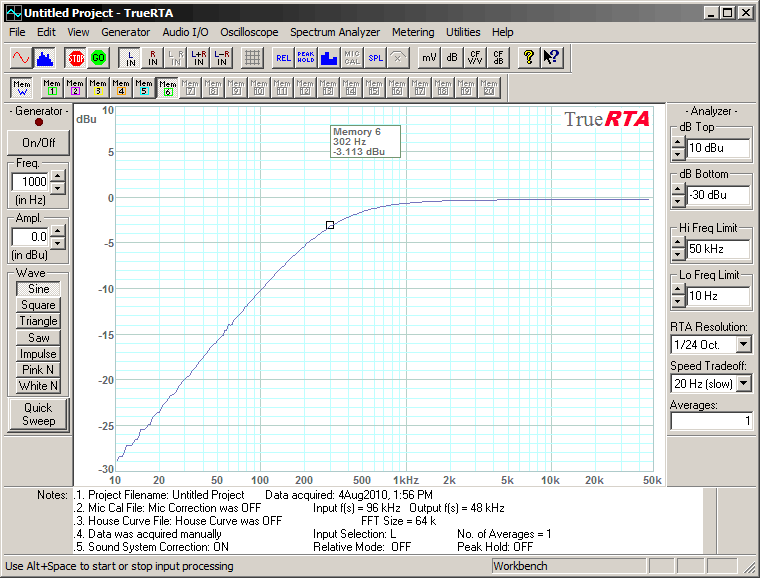
Below is a Quick Sweep measurement of a high pass filter created by inserting a 470 pF capacitor in the test loop. When loaded by the input impedance of the sound card the series capacitor forms a high pass filter with -3 dB frequency at around 300 Hz. Note the total absence of any sound card response error. Only the response of the actual filter is measured when sound card correction is employed.
|
||
 |
Signal Generator |
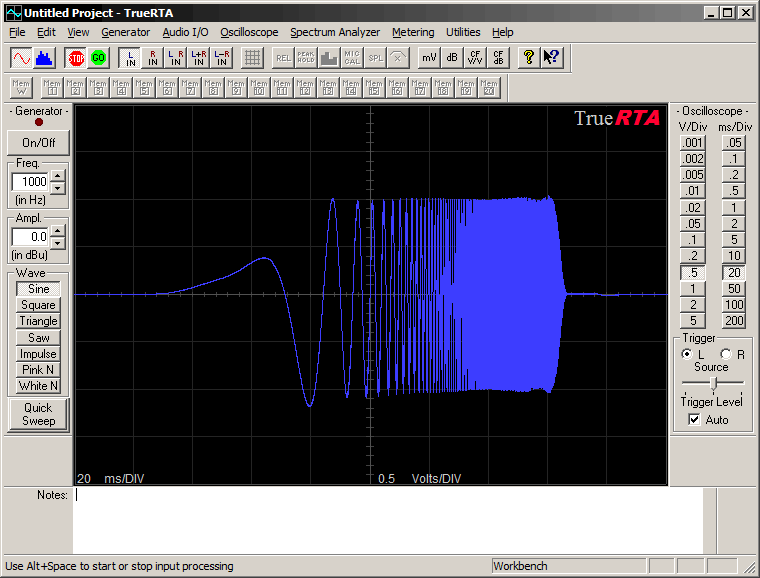
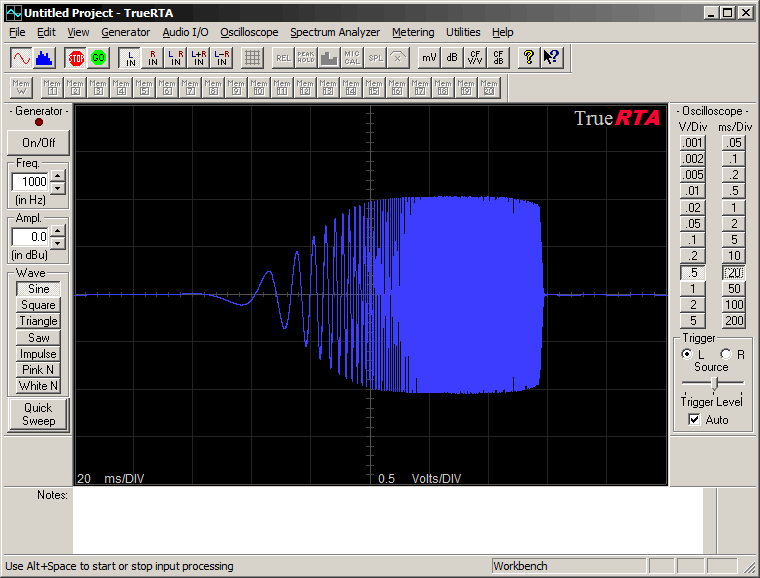
TrueRTA's Signal Generator produces an ultra low-distortion sine wave variable from 5 Hz to 24kHz. The output level can be specified anywhere from full scale to a single bit of amplitude. In addition to the sine wave the generator can be switched to pink noise. The higher level versions of the product can also provide a digitally created logarithmic sine sweep from 10 Hz to 48 kHz. This signal is a high-resolution alternative to using pink noise for system testing. The swept sine wave provides a higher signal level at each frequency compared to pink noise and lacks the peaks and valleys seen in pink noise response plots. The digital Quick Sweep is an excellent alternative to stepped sine wave frequency response testing. |
|
 |
Oscilloscope | ||||||||||||
|
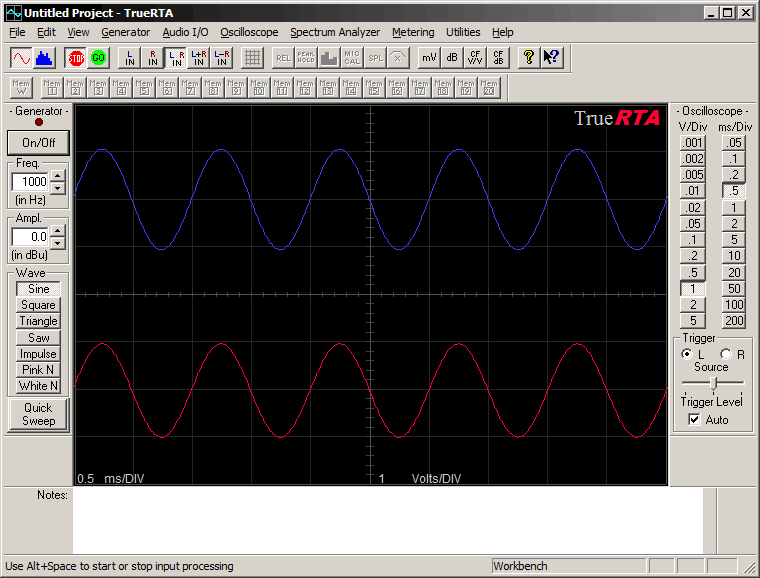
Here is a screen showing the oscilloscope in dual
trace mode and displaying a 1 kHz sine wave.
|
|||||||||||||
TrueRTA's Oscilloscope allows you to view the input signal waveform.
|
|||||||||||||
|
|
|||||||||||||
| Digital Voltmeter | |||||||||||
|
TrueRTA's Digital Voltmeter can be calibrated for your sound card using the Line-In and Line-Out calibration routines. You will need a digital voltmeter so that you can measure the signal level. Then, enter that value and TrueRTA will be calibrated for your sound card, allowing accurate measurement of input signal levels as well as accurate output signal amplitudes. The meter can display any or all of the following:
Selected functions are displayed in the same window as the oscilloscope or spectrum analyzer display. |
|||||||||||
| Minimum System
Requirements: The minimum requirements to use TrueRTA are a PC witha 500 MHz Pentium III processor, 64MB RAM and full duplex 16 bit sound capability running Windows XP, Vista or Windows 7 / 8 / 10 |
|||||||||||
|
How it works: First, download the FREE TrueRTA Level 1 sound analyzer and try it out. You will likely want to upgrade to a higher level with increased resolution. Select the level you want and submit the order. We will email you a Registration Code. After you receive the code, launch the Free Level 1 and look under the Help menu. Select User Registration. Enter the code in the appropriate level field. Upon successful entry of the code you will have an immediate upgrade to the level you ordered. Menu items will be activated, providing greater power. There is no need to download the file again.TrueRTA is currently at version 3.5.6
Click Here to download the FREE TrueRTA Level 1 Level 1 NEVER EXPIRES! Vista and Windows 7/8 Compatible! Click Here to see the TrueRTA Selection Guide Click Here for Recommended Hardware to go with TrueRTA |
|||||||||||
| What Our Customers Say About TrueRTA! | |||||||||||
| "My registration code came through in a matter of hours and instantly my RTA was a level 3!! The menu's and graphics are just superb, clear, understandable and fast. I connected my PC up to an EMU 202 USB2 outboard sound card and the Behringer 8000 mic and within seconds we were away. The Digital Chirp is of course indispensible as just Pink noise is not a very satisfactory way of establishing a loudspeakers response when it is interacting with the room. But it was so simple to switch from Chirp to continuous Pink it was easy to see the room effect. In a word.."Superb" and absolutely fantastic value!! Thank you so much!!" - David | |||||||||||
| "I find this quite an amazing package. To put this amount of test gear together in earlier days would have cost me tens of thousands of dollars. Very nicely designed, very user friendly, and tells me all I need to know in a quick and efficient way. I take my hat off to your designer !! - Arthur" | |||||||||||
|
'Not sure I need the 1/3 octave BUT
I have used the free version so much I feel compelled to pay you
for your efforts. This is a great program and an indispensible
tool for managing feedback at live events. * Joe' |
|||||||||||
| "I have a 20-year old 1/2 octave hand held from Heath Kit. It just can't compare to your program. Just to look at the 1/24 octave was worth $100.00. This is truly a cool program that fills the need of someone like myself who can't justify $3000.00. for an upgrade!" - Ray | |||||||||||
| "Congratulations on your accomplishments, this is a neat software analyzer." - Pietro | |||||||||||
| "Love the product! I've run some tests on some of my favorite recording equipment and found your software to be right on the money. Keep up the good work!" - Tom | |||||||||||
| "What an easy to use and useful tool. Very cool!" - Mike | |||||||||||
| "Excellent, Practical Software for the Audio Engineer'" - Leslie | |||||||||||
| "A very good value on a very useful tool." - Bob | |||||||||||
| "Impressive software, Thanks!" - Bill | |||||||||||
|
|
|||||||||||
| From Sound and Vision Magazine, Jan 2011 "While lots of audio measurement software applications exist for the PC, the one that seems to have captured the hearts of engineers and enthusiasts is TrueRTA, available at trueaudio.com. Most speaker engineers I know keep a copy on their computers." - Brent Butterworth, Sound and Vision Magazine, Jan 2011. Read the entire article here. |
|||||||||||
|
|||||||||||
|
|